
Brand assets
Link to PubKitchens
Have a public operator profile? Add a PubKitchens badge to your website and link it to your profile, so visitors can see your menu, photos and current opportunity status in one place.
Completely optional
Adding a badge or logo does not affect your account, your ability to publish or your position in the directory.
Find us on PubKitchens badge
Use a directory badge on your website and link it to your public operator profile.

PubKitchens logo
Use the official logo when referring to PubKitchens in an article, guide or resource page.








Website badge code
Add it to your website
Copy this HTML, then replace the example profile address with your own public PubKitchens URL.
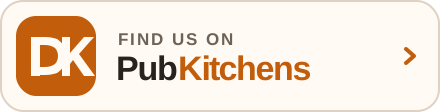
<a href="https://pubkitchens.co.uk/chef/your-name">
  <img src="https://pubkitchens.co.uk/brand/find-us-on-pubkitchens.svg" alt="Find us on PubKitchens" width="220" height="56" loading="lazy">
</a>Optional — this does not affect your profile or directory visibility.
How to add your badge
Link visitors to the page that is most useful to them.
- Download an asset or copy the ready-made HTML above.
- Place it somewhere useful, such as your homepage or About page.
- Link a directory badge to your public profile at
https://pubkitchens.co.uk/chef/your-name. - Use “Find us on PubKitchens” as the badge's alternative text.
Use the assets clearly
A few rules keep the identity recognisable and the listing accurate.
- Use the supplied files without recolouring, stretching, cropping, rotating or adding effects.
- Leave clear space around the mark and choose a version with enough contrast.
- Do not use the logo or badge in a way that suggests PubKitchens has verified, approved or endorsed your business.
Need another format?Email us.
Common questions
- Is a link required?
- No. Adding a logo or badge is entirely optional and does not affect your directory profile.
- Where should the badge link?
- If you have a public profile, link to that page. When referring to PubKitchens generally, link to pubkitchens.co.uk.